

Warning: include(Encrypt/CBC_functions.php) [function.include]: failed to open stream: No such file or directory in D:\Inetpub\vhosts\easyhost1.com\httpdocs\webcontrol\include\inc_config.php on line 8

Warning: include(Encrypt/CBC_functions.php) [function.include]: failed to open stream: No such file or directory in D:\Inetpub\vhosts\easyhost1.com\httpdocs\webcontrol\include\inc_config.php on line 8

Warning: include(Encrypt/CBC_functions.php) [function.include]: failed to open stream: No such file or directory in D:\Inetpub\vhosts\easyhost1.com\httpdocs\webcontrol\include\inc_config.php on line 8

Warning: include() [function.include]: Failed opening 'Encrypt/CBC_functions.php' for inclusion (include_path='.;./includes;./pear') in D:\Inetpub\vhosts\easyhost1.com\httpdocs\webcontrol\include\inc_config.php on line 8
All in One- Cheap Hosting Package, Unlimited Domains, Unlimited Mailboxes, Fast Service, just $5 a month - Get Your Business Online.

Android

Easy, Friendly and Feature-rich Web Hosting!

Setting up Android Mail


To configure your Android Devices for email, please follow these steps:

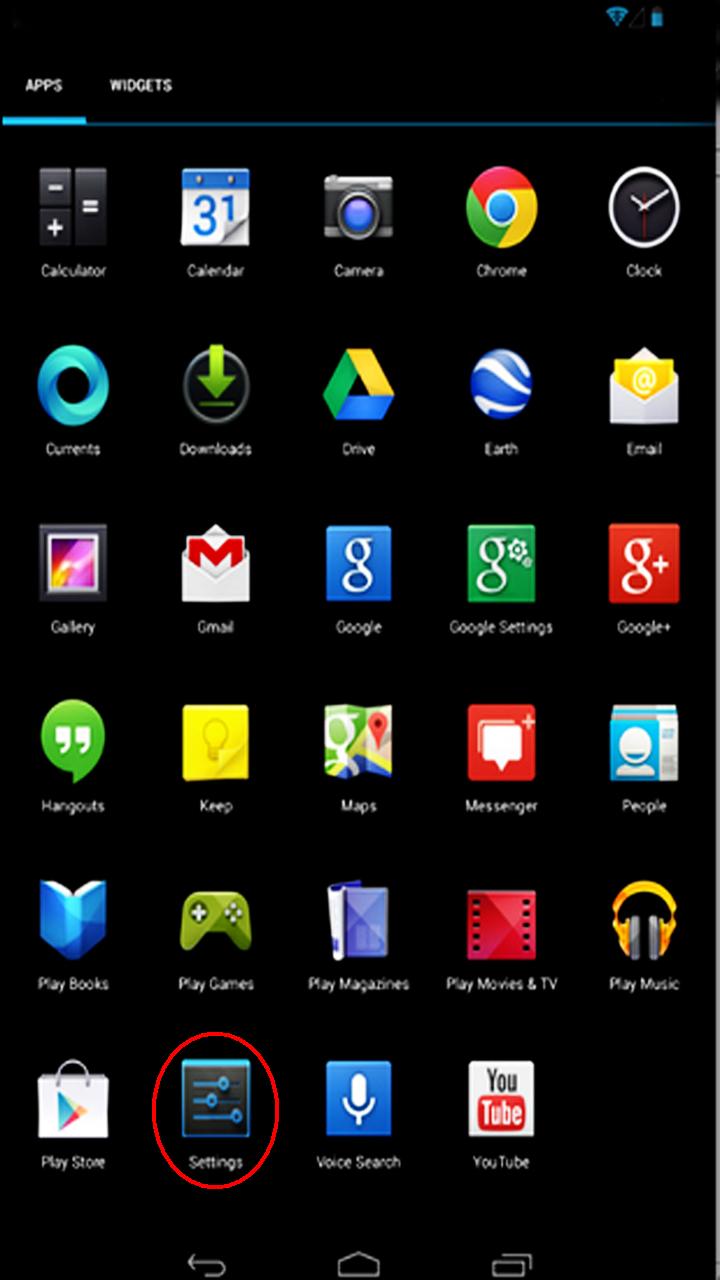
1. From the Apps Screen, click Settings.


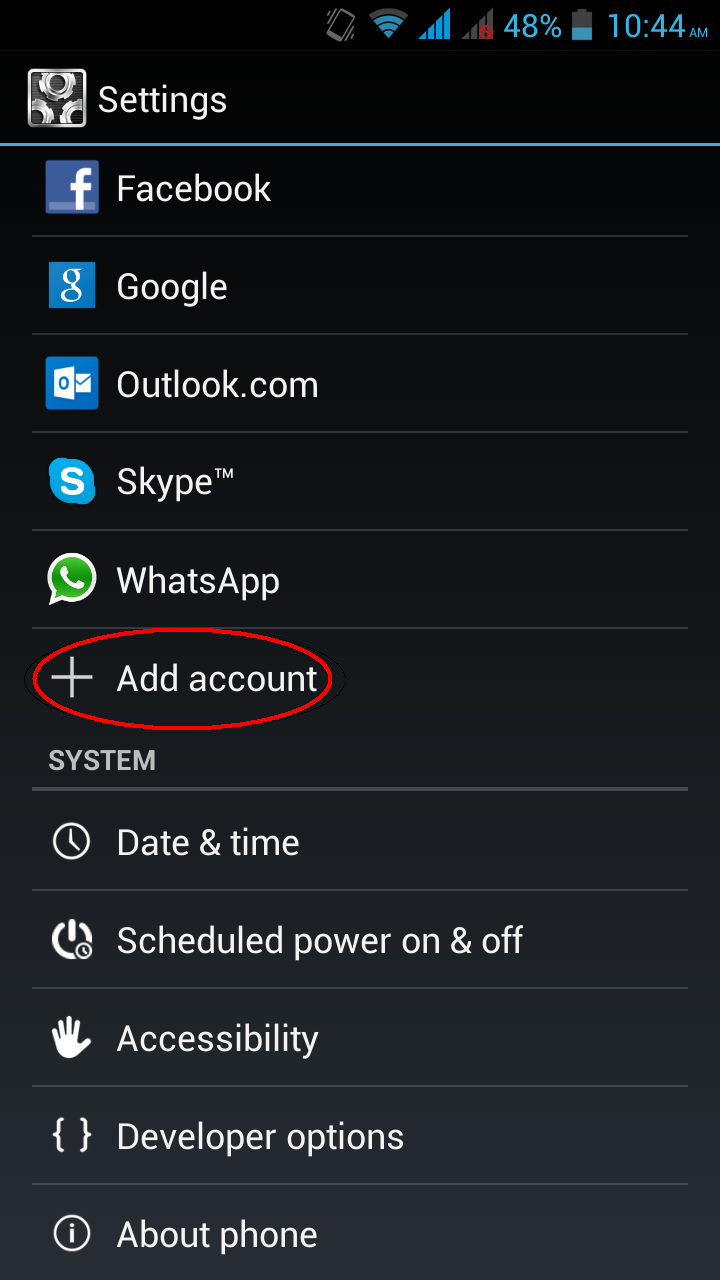
2. Under Settings, select  Scroll down to Accounts and Select Add Account.


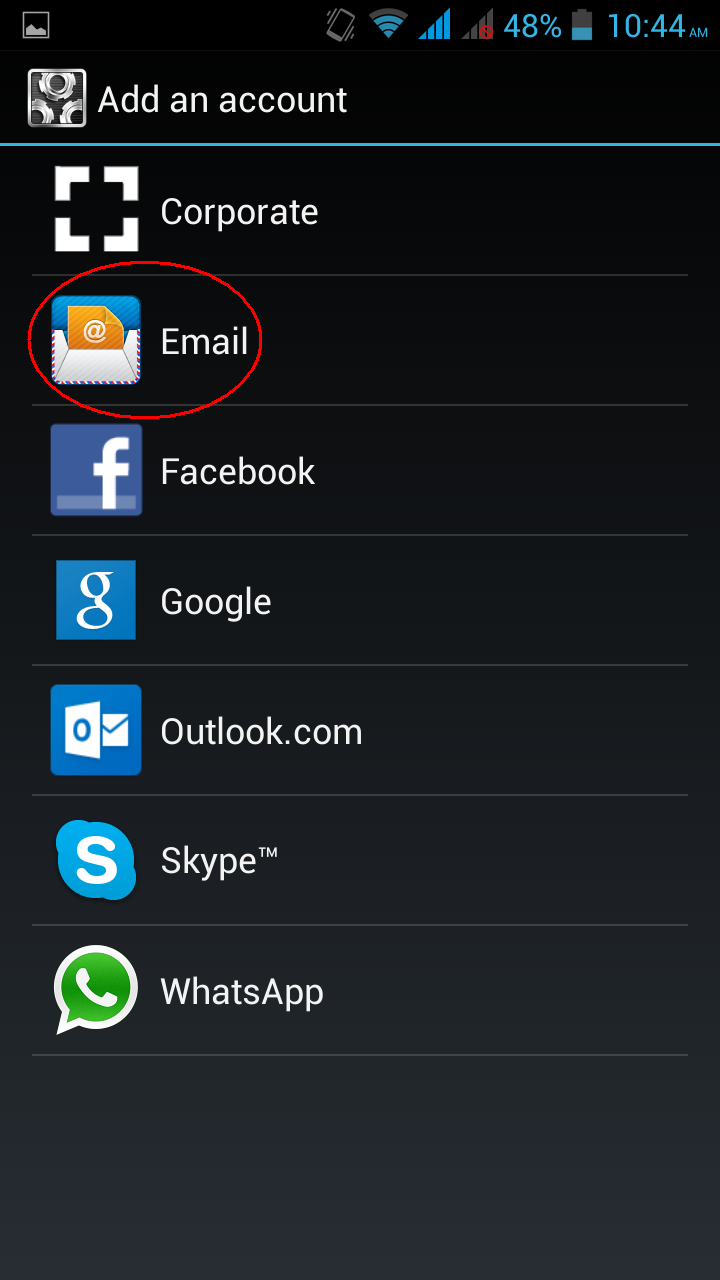
3. Select Email.


5. Click the Manual setup button.
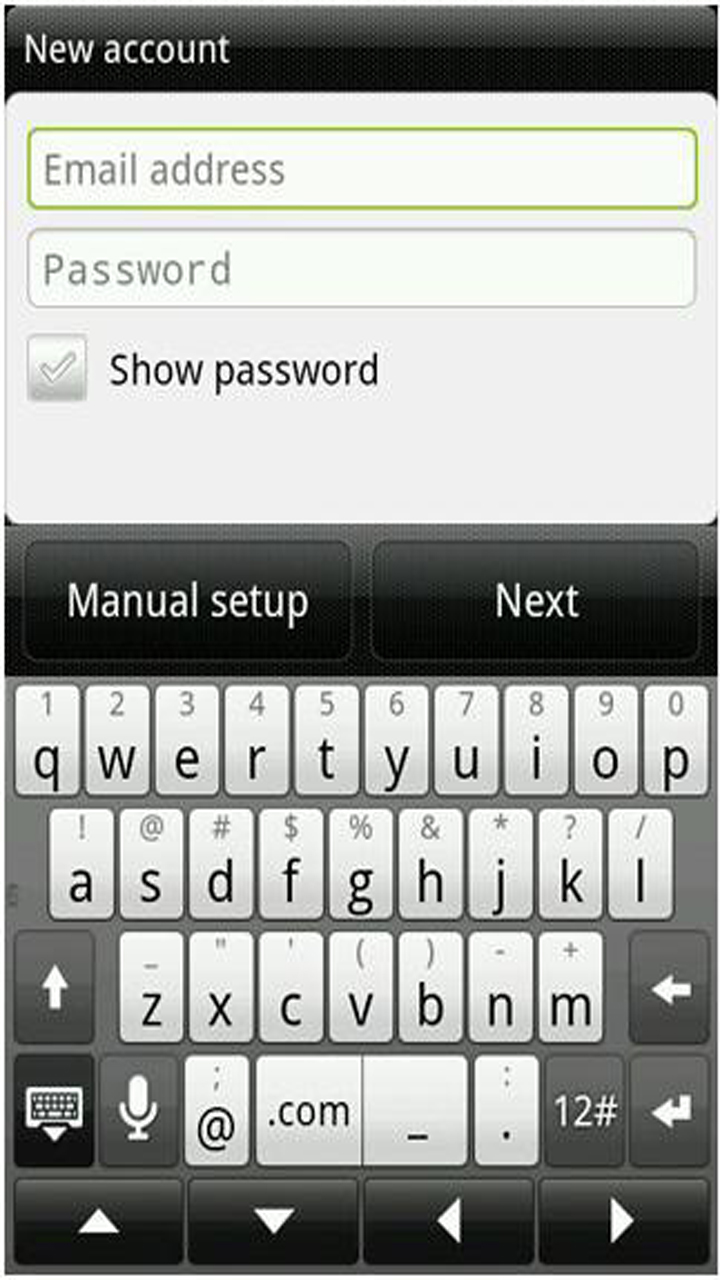


6. Enter the requested information and click Next:
• Email Address: the email address of the mail user
• Username: the email address of the mail user
• Password: enter the users password
• Server: yourDomain.com
(If it’s a POP account then change the Server port from 143 to 110)
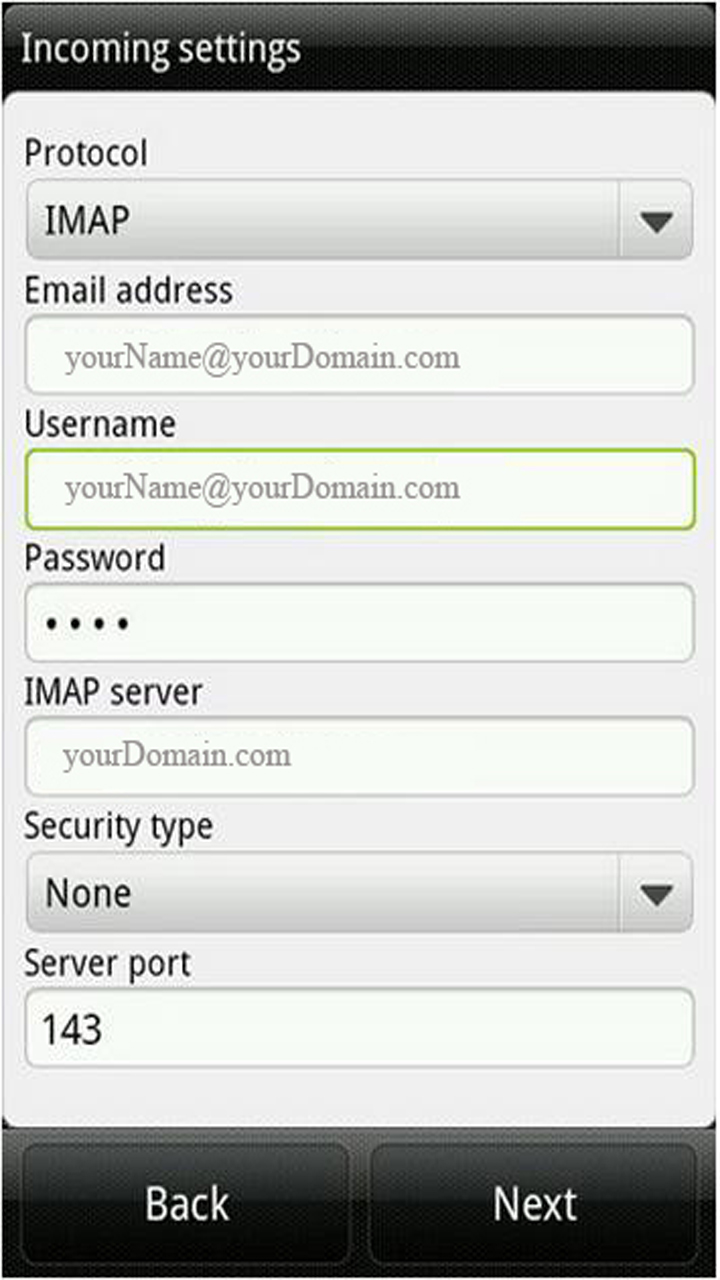


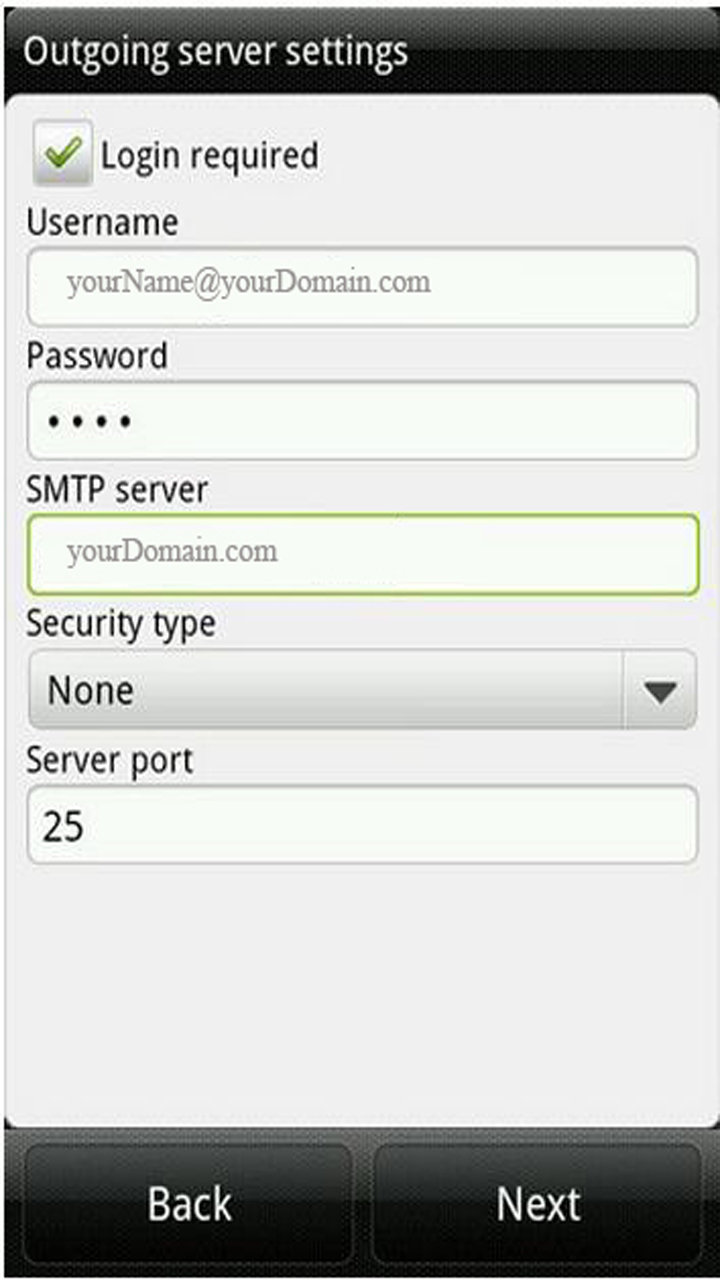
7. Enter the requested information and click Next:
• Username: the email address of the mail user
• Password: enter the users password
• Server: yourDomain.com


8. Enter the requested information:
• Account Name: a description of the mail user
• Your Name: a name of the mail user
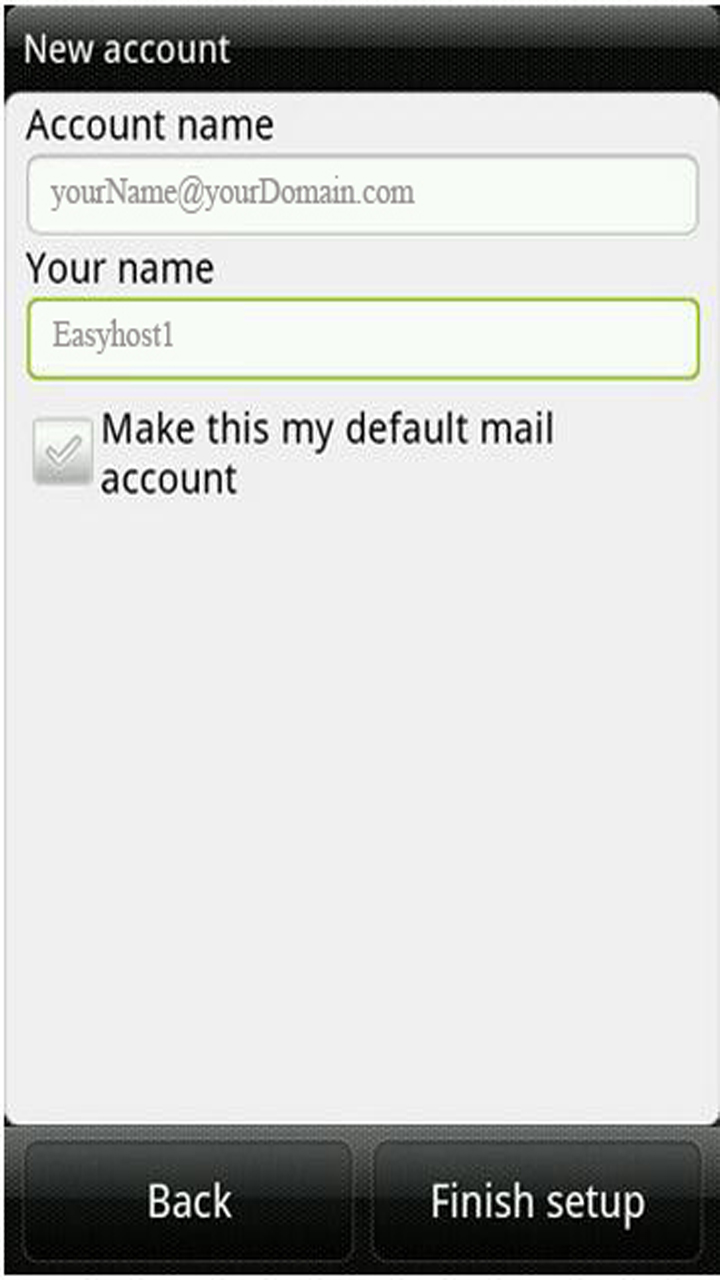
 

9. Select Finish Setup